Your load. Your screen.

Our trucks report where they are. Stops are time-stamped. Deliveries close with a signed POD in your account. Check on your freight when you want to, without waiting for a call back.
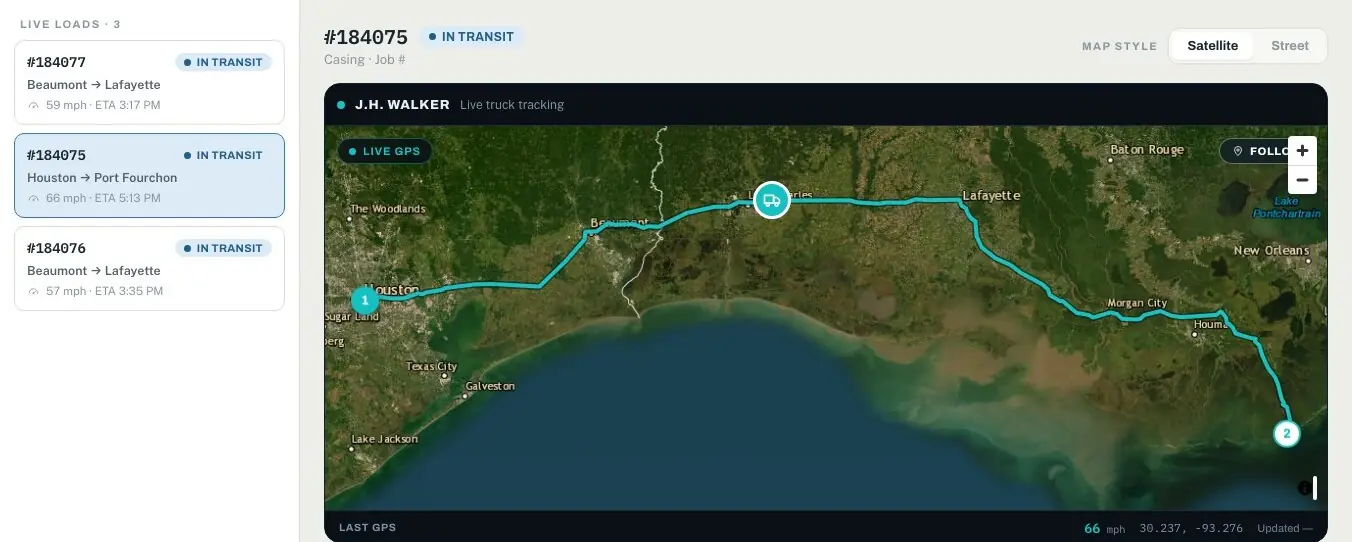
portal.jhwalkertrucking.com SAMPLE FREIGHT
The J.H. Walker client portal’s Live Tracking screen: three loads in transit, with load 184075 shown on a satellite map from Houston to Port Fourchon

In the client portal

Four things you’ll stop calling about.

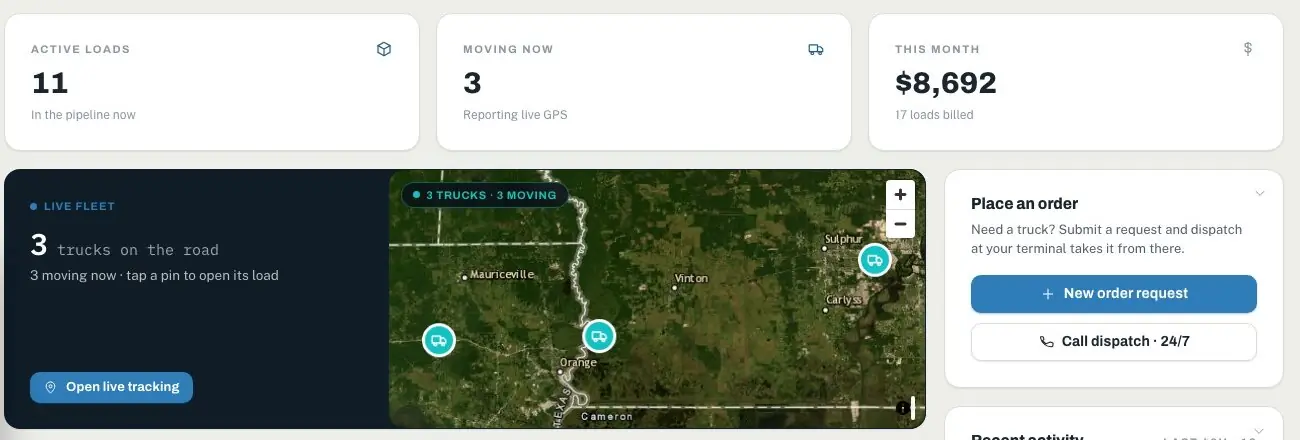
portal.jhwalkertrucking.com · Dashboard SAMPLE FREIGHT
The client portal dashboard: active loads, trucks reporting live GPS, loads billed this month, and a live satellite fleet map
TRACK

Where is it?

Live GPS tracking, with the stops a load made and when.

ALERTS

Did it leave?

Emails as your load is picked up and delivered.

POD

Who signed?

The electronic proof of delivery, signed on the driver’s tablet, with the BOL beside it.

BILLING

Where’s the invoice?

Invoices with their paperwork attached, by email or EDI, matched to your PO.

EDI

Straight into your system.

Tender loads from your ERP or TMS and get status, proof of delivery and invoices back the same way. No re-keying on either end.

YOU Your ERP or TMS SAP, Oracle, your own system, or a tender portal
204 Load tenderYOU → US
214 Shipment statusUS → YOU
POD Proof of deliveryUS → YOU
210 Freight invoiceUS → YOU
US J.H. Walker dispatch Loads, trucks and stops in one system

On the truck

The cab is connected.

Our tractors carry GPS telematics and electronic logging devices. In the cab, our own J.H. Walker app gives drivers push-to-talk radio with dispatch, paperwork scans, inspections and an accident kit.
  • Push-to-talkDispatch and driver, one button apart.
  • BOL and POD scansPaperwork in your portal soon after it’s signed.
  • InspectionsPre-trip and post-trip, logged to the shop.
  • Accident kitStep-by-step, photos and calls, if the worst happens.
Radio EXAMPLE
HOUSTON DISPATCH · 2 MINGate code at the supply base is posted on your load. Dock 4.
POD scanned · Load 48213Sent to the customer portal
Q3 2026 · BUSINESS REVIEWYour quarter, on one page SAMPLE ACCOUNT
On time, to your windows96.8%▲ 2.1 pts vs Q2
Loads moved1,223▲ 9% vs Q2
Freight spend$2.38M▼ 4.2% per load
Avg. dwell at your docks1h 42m▼ 26 min vs Q2
Loads per weekOn time
$212,400saved vs single-source 38 hrsdetention, down 41% 0.31 tCO₂ per load, down 6%
Why it moved
  1. 1On time rose 2.1 points: 1,184 of 1,223 promised windows met, after Channelview pickups moved to a 6 AM window.
  2. 2Dwell at your La Porte dock fell 48 minutes, the biggest gain across your 12 sites.
  3. 3Week 9 was weather: 6 loads ran late behind the I-10 closure, and every one was called ahead.
FOR Q4Add a second Monday dock crew at Pasadena. 31% of its dwell builds before 9 AM.
A sample account. Yours is built from your own loads, and arrives as a one-page brief, a deck and a narrated video.

Reporting

Your numbers, brought to you.

Every quarter your account manager brings a business review built from your own loads: on time against the windows you were promised, dwell and detention at each of your docks, spend and savings, and the cause behind every change.
  • Graded against your appointment windows, not ours.
  • Every figure traced to the loads behind it.
  • Ready for the room: a one-page brief, a deck and a narrated video. Between reviews, a live dashboard and a TV wallboard.

Software doesn’t pick up. Dispatch does.

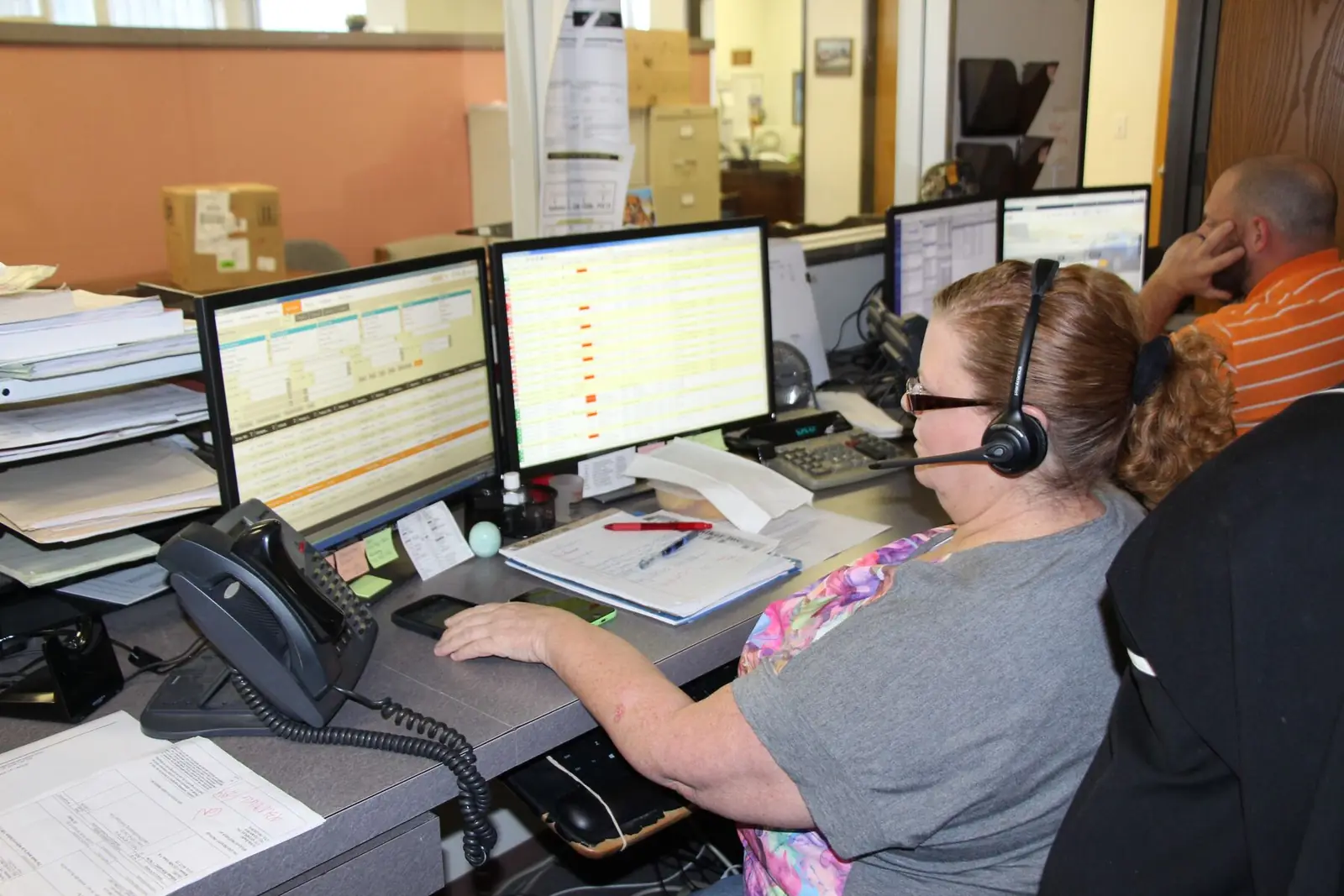
All of this runs under people. When a site changes the gate time or a load needs a different truck, you can reach a dispatcher 24 hours a day.

1-800-581-2600